
How Squat works
Squat has to see a squash ball, work out where it's going, and get there first. Here's each part that does that, in the order the information flows, and how far along each one is.
Progress
Last updated May 2026
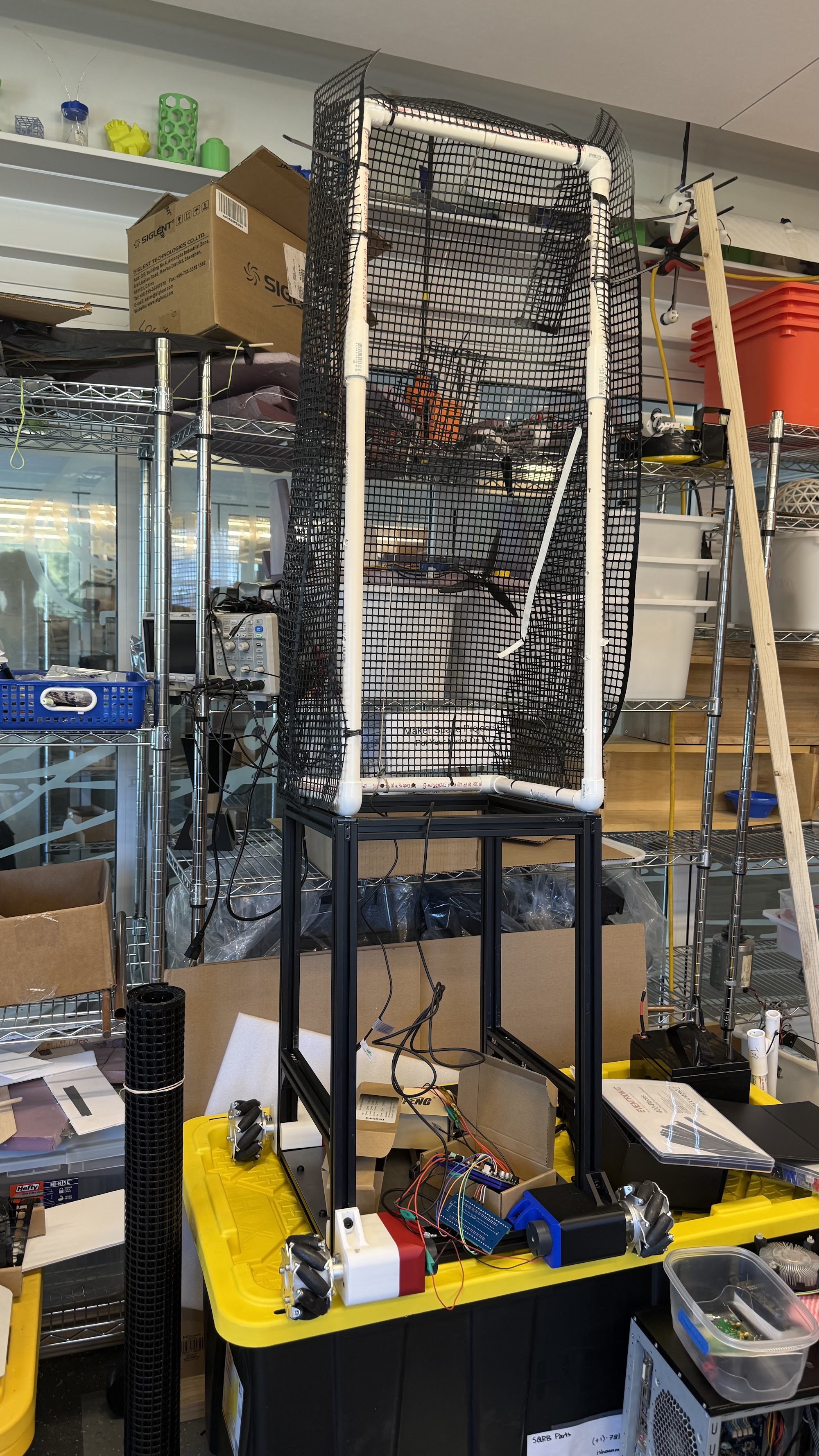
- FrameDone
- Ball tracking, first versionDone
- Camera calibrationDone
- Ball shooterIn progress
- Predicting where the ball goesIn progress
- Deciding where to move and what shot to playIn progress
- Putting it all together and testing at SquashBustersNot started
- Analyzing how players move and hitNot started
The hardware
Cameras
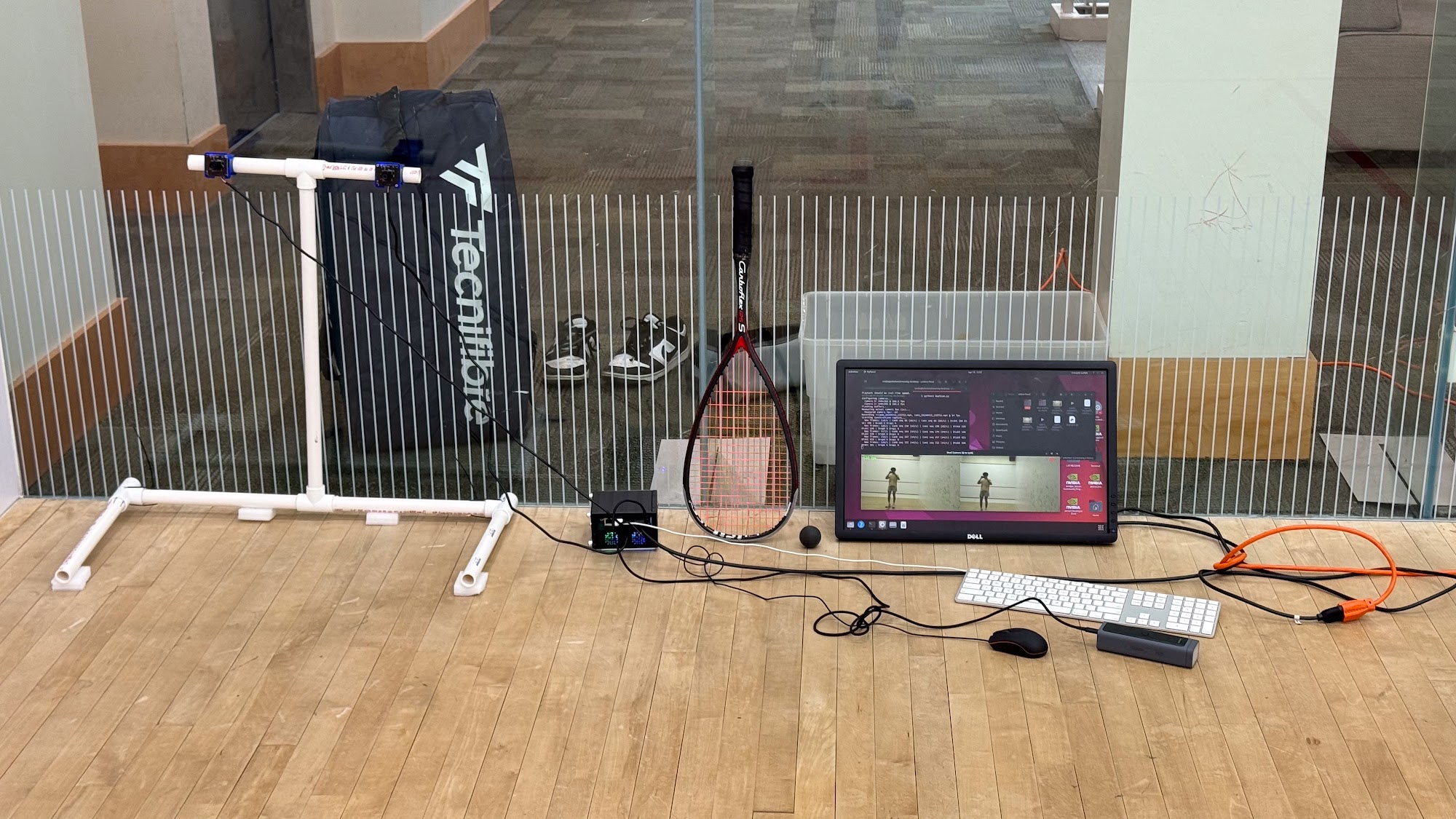
Two OV4689 global-shutter cameras, 720p at about 111 frames a second, mounted 16 inches apart.
Both cameras plug into the main computer over USB. They use a global shutter, which captures the whole image at once. Ordinary cameras scan the image line by line, and a squash ball moves far enough during that scan to come out smeared or bent.
Having two cameras is what lets Squat judge distance, the same way two eyes do. The further apart they are, the better the depth estimate. Sixteen inches is as wide as the frame allows. We've finished calibrating them, which means measuring exactly how the two are positioned relative to each other.
Computer
Nvidia Jetson Orin Nano, on its own power bank.
Everything from reading the cameras to sending motor commands runs on this one board, on the robot. Sending video to a server and waiting for an answer would take too long. By the time a reply came back, the ball would be somewhere else.
Wheels and motors
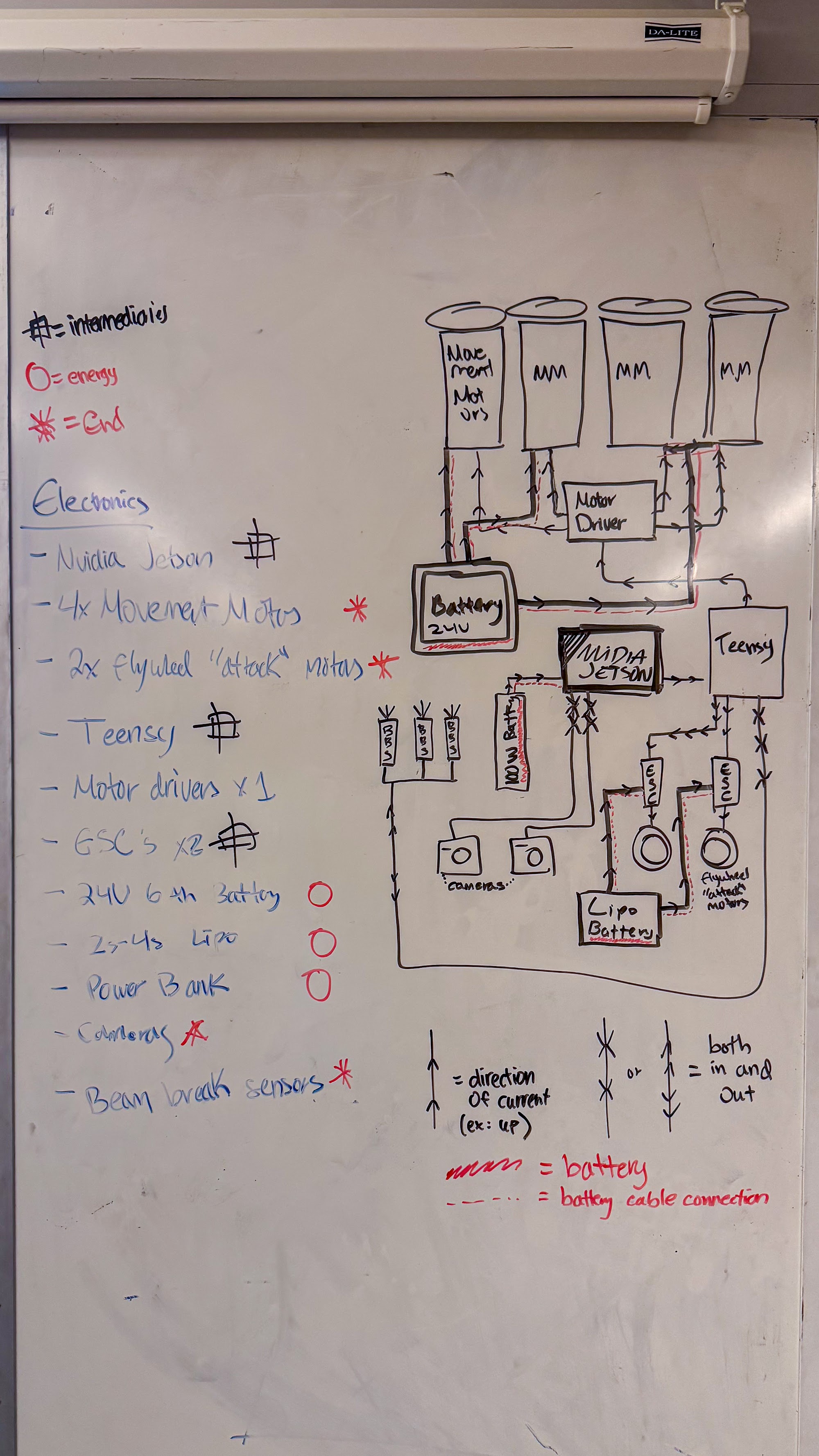
Four mecanum wheels and motors, one motor driver, a 24V battery. A Teensy 4.1 microcontroller sits between the Jetson and the driver.
Mecanum wheels have small rollers set at an angle around the rim. Spinning each wheel at a different speed moves the robot in any direction, including straight sideways, without turning first. On a squash court that saves a lot of time.
The Jetson decides where to go. The Teensy turns that into the exact timed signals the motor driver needs, which leaves the Jetson free to concentrate on the cameras. An ESP32 board handles wireless monitoring and debugging while we develop. It isn't part of the control loop.
Shooter
Two flywheel motors with speed controllers on their own LiPo battery, plus beam-break sensors. Still being built.
The ball passes between two spinning wheels that launch it. Beam-break sensors confirm a ball is loaded before Squat tries to shoot.
The drive motors, the shooter and the computer each have their own power supply, so a surge from one can't upset the others. An arm for picking up low balls is planned for a later version. It isn't needed for drills.
From camera to motor
Each frame goes through these six steps. The faster the whole chain runs, the more time Squat has to reach the ball.
-
Capture
Done
Both cameras send frames to the Jetson at about 111 a second. At that rate the ball only moves a short way between frames, which makes it easier to follow.
-
Find the ball in each camera
Works, about 74% accurate
A YOLOv8 detection model looks for the ball in each camera's frames separately, with OpenCV preparing the images. It finds the ball about 74% of the time. A squash ball is small, fast, and often close to the color of the walls. More training on real court footage, like what we recorded at SquashBusters, should raise that number.
-
Work out where it is in 3D
Works, about 53% accurate
Combining the two views gives the ball's position in the court. This works about 53% of the time right now.
What's holding this back: the two cameras don't share a clock, so their "matching" frames can be a few milliseconds apart. The ball moves in that time, which throws off the calculation. We're writing software to timestamp frames and pair them up correctly.
-
Predict where it's going
Early work
From the last few positions, predict where the ball will be and when, including what happens when it hits a wall. It can't work well until the 3D positions are reliable, so that comes first.
What Squat is being built to do, seen from the side wall. Filled dots are the ball as the cameras track it. Open dots are where Squat predicts it will go, and where it drives to meet it. The prediction step is still in development. -
Decide what to do
Early work
Given where the ball is going, choose where to move and which shot to play. The drill sets the rules. In the drop-drive drill, that means meeting a straight drive and playing a drop shot.
-
Move and shoot
Built
Movement commands go through the Teensy to the wheel motors. Shot commands go to the flywheel speed controllers once the beam-break sensors say a ball is loaded. This part is ready and waiting on the steps above.
Want to help us finish? See what your donation pays for.